

Opening: compare the choices, not the labels
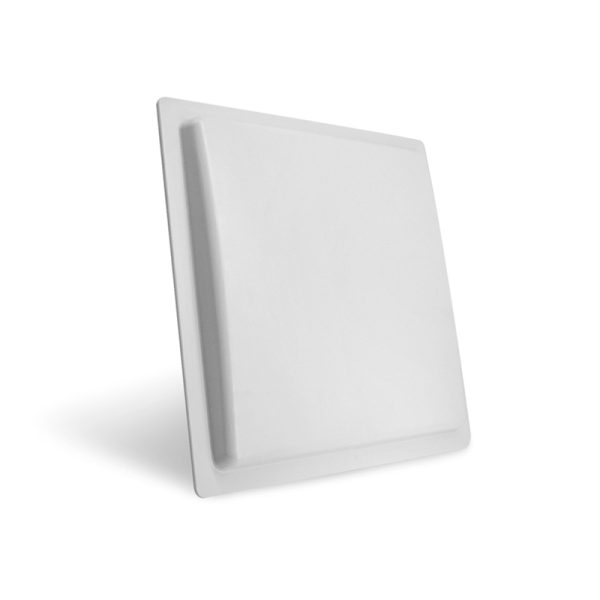
You want a 2.4 GHz active tag—so ask the questions that split the sensible from the sorry, and compare like with like. Think range against battery life, packet rate against interference resilience, and the antenna setup that stitches it together; the right RFID Antennas can turn an okay deployment into a dependable one. Picture the site, the noise in the air, and the data cadence you need—then line up candidates under those same, simple tests.
Questions that reveal the real differences
Ask these to see which tag does what and at what cost: What is the usable read/write range in metres with your intended antenna and orientation? How many transmissions per hour will the battery support? Which modulation and packet format does the tag use, and does that matter for your gateway? What certifications (FCC, CE, local licences) matter for your region? How tolerant is the firmware to packet loss and re-sends? What is the physical form factor and mounting method for your environment? Demand measured specs, not marketing claims. Compare measured field tests, not vendor flyers.
Technical trade-offs, put side by side
2.4 GHz buys small antennas and decent bandwidth but pays in susceptibility to Wi‑Fi and Bluetooth noise. Lower power gives longer battery life, but range collapses. Compare sensitivity figures and antenna patterns—omnidirectional versus directional changes the whole setup. For context from large-scale practice: retail rollouts like Walmart’s RFID programs showed how passive systems scale for inventory, and suppliers often pair that approach with tuned passive rfid antenna solutions for shelf-level reads; the same trade-off logic applies when you weigh active 2.4 GHz tags against passive or UHF tags. Use measured read-distance charts from real tests when you compare, not quoted maxima.

Common pitfalls that skew comparisons
Don’t equate nominal range with reliable range. Tests done in free air don’t match metal racks, liquids, or urban RF clutter. Overlooking antenna gain and polarization is the fastest way to buy useless tags. Missing a firmware update path leads to fielded devices you can’t fix. Counting only unit cost and ignoring battery-replacement labour hides the true bill. Ignore security at your peril—unencrypted beacons leak location and identity. Always verify performance in the actual environment before bulk buy.
Alternatives and when each wins
Passive UHF tags beat active 2.4 GHz for low-cost, mass inventory where readers are fixed and items pass by. BLE beacons suit smartphones and proximity apps but trade accuracy. UWB gives centimetre-level location indoors but brings higher cost and complexity. Choose active 2.4 GHz when you need medium-range, frequent updates from moving assets and when the RF environment can be tamed; pick passive when you need scale and minimal maintenance.
Closing: a clear comparison leads to a clear purchase
Compare measured range, battery profile, antenna pairing, and operational cost; ignore glossy claims. Engineers who’ve run field trials and procurement rounds look for suppliers that publish antenna charts, emission tests and firmware notes—suppliers like RSTC appear often in those lists because they put the specs you need where you can check them, not hidden in sales copy.